Create Cloze Tests Online
Build fill-in-the-blank, drag & drop, and dropdown exercises and surveys manually or with AI. Track participant responses and export data easily.
- Rich text editor with images and media
- Multiple question types
- Varied participation modes
- Results export to CSV and PDF
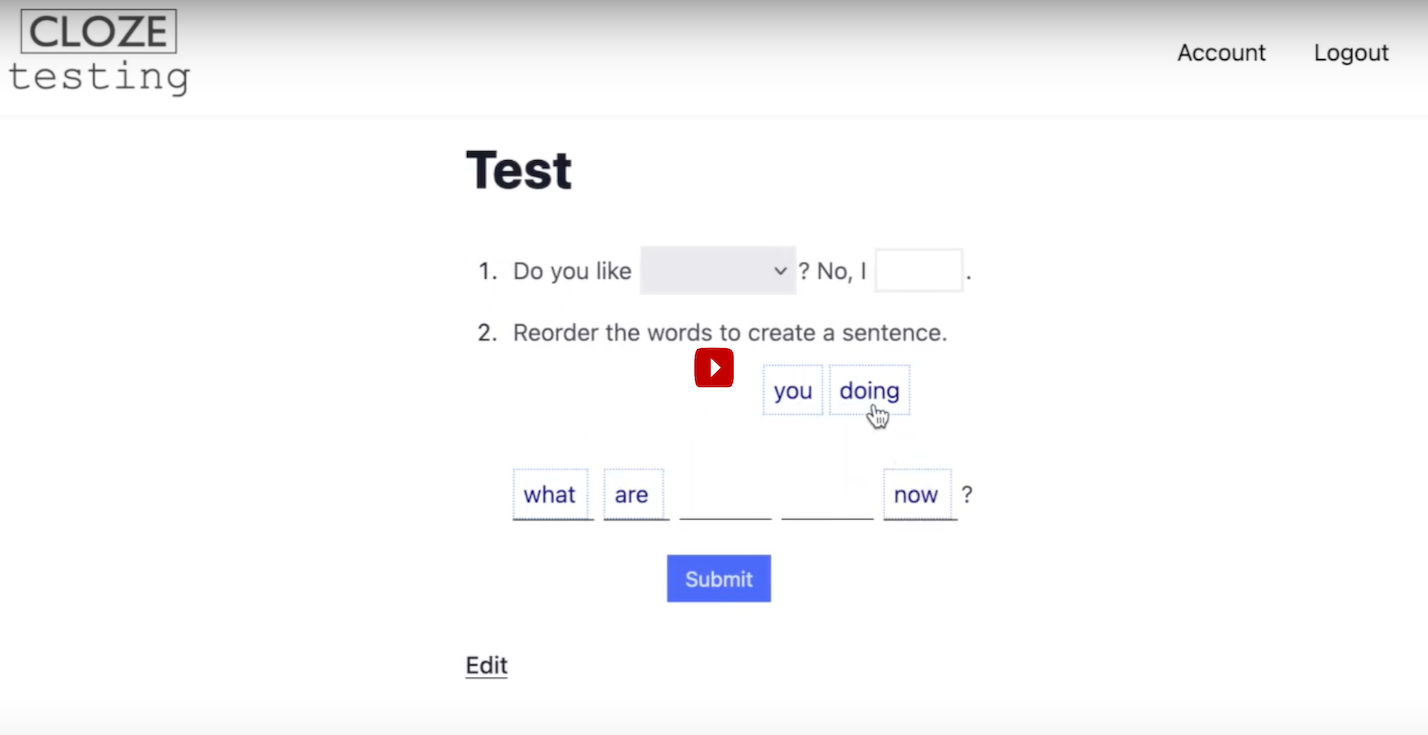
Powerful Features
Rich Text Editor
Editor functions akin to a word processor. Format text, add images, audio, video, and more.
Timed Exercises
Set time limits for your exercises. Participants see a countdown timer and the exercise is automatically submitted when time expires.
Track Results
View detailed responses from participants. Export results to CSV for analysis.
PDF Export
Download your exercises as printable PDFs with or without answer keys for offline use.
Participation Modes
Choose anonymous responses, require names, or use Google Classroom for verified tracking.
Embed Anywhere
Embed your exercises on any website or LMS using iframe. Perfect for online courses.
Generate Content Instantly with AI
Transform your teaching workflow. Simply describe the exercise you need, and let AI generate comprehensive cloze tests, drag & drop activities, and dropdown quizzes in seconds.
Works with Any AI
Compatible with ChatGPT, Claude, Gemini, and more.
Moodle XML Standard
Seamlessly import standardized XML content directly into your editor.
<question type="cloze">
<text>Global warming is the {1:SA:=long-term} heating of Earth's climate system...</text>
</question>
</quiz>
Three Powerful Question Types
Fill-in-the-Blank Questions
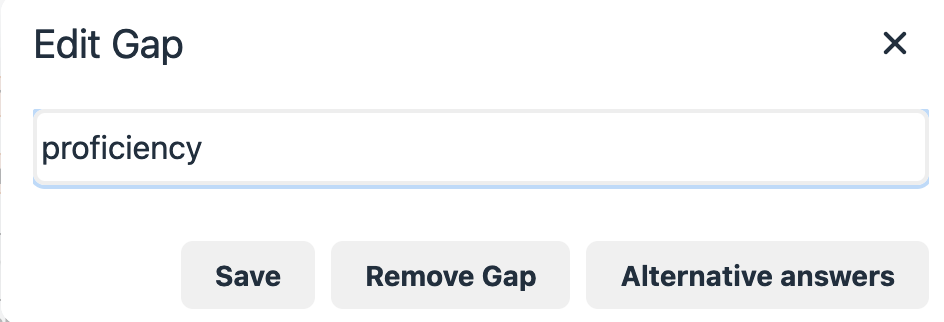
Simply select text and click "Make Gap". Input boxes auto-grow as participants type and maintain consistent sizing. Add alternative correct answers for flexibility.
- Auto-growing input fields
- Multiple correct answers
- Instant feedback option
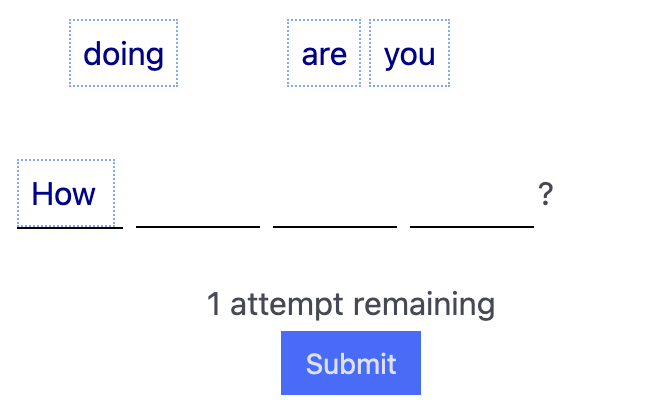
Drag & Drop Questions
Create drag & drop exercises with a visual word bank. Participants drag words into the blanks. Perfect for vocabulary and grammar practice.
- Visual word bank
- Distractors & additional items
- Alternative correct answers
Multiple Choice Dropdowns
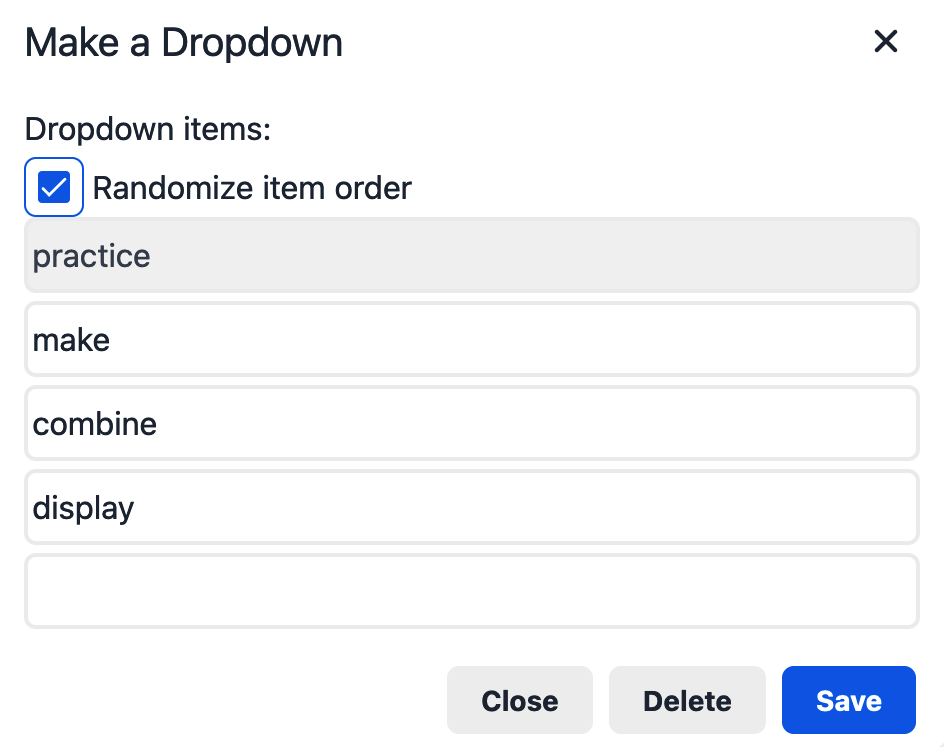
Transform any word into a dropdown with customizable options. Add distractors to create challenging multiple-choice exercises embedded naturally in text.
- Unlimited options
- Inline with text flow
- Randomized order option
Track Every Response
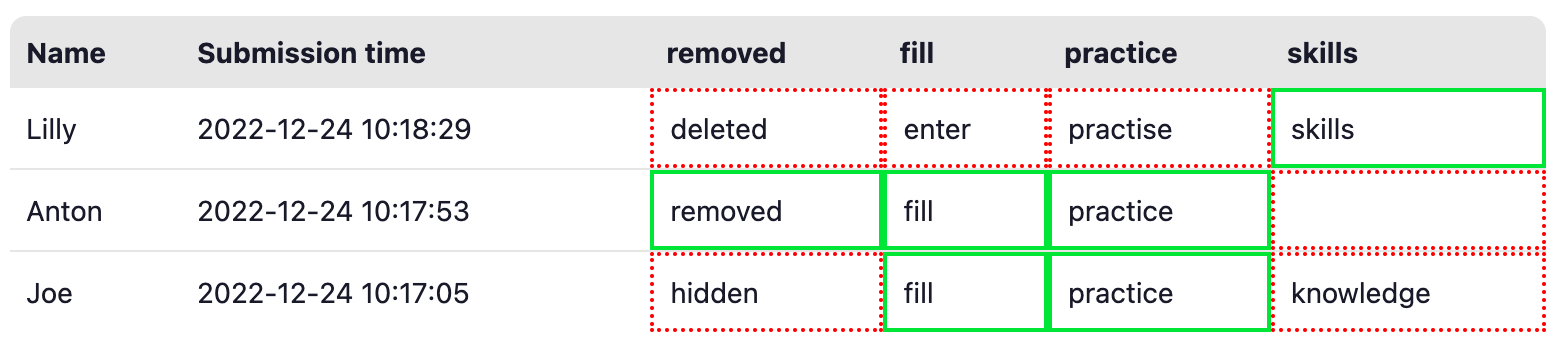
View detailed results for each participant. See exactly what was answered, when, and how many attempts it took. Perfect for identifying areas where students need help.
- Individual response details
- Score calculations
- CSV export for spreadsheets
- PDF result reports
Perfect For...
Teachers & Educators
Create exercises to assess student progress in vocabulary, grammar, reading comprehension, and any subject where context matters. Get detailed analytics on class performance.
Corporate Training
Build compliance exercises, onboarding quizzes, and knowledge checks. Use Google login for employee verification and export results for HR records.
Lead Generation & Surveys
Create unique fill-in-the-blank surveys that engage users more than standard forms. Perfect for collecting data, qualifying leads, and interactive marketing campaigns.
Try Example Exercises
See what you can create with Clozetesting.com
Water Cycle Listening Dictation
Interactive listening comprehension exercise with fill-in-the-blank questions
Try it →Grammar Mastery: The World of Conditionals
Comprehensive grammar exercise featuring dropdown selection and multiple-choice questions
Try it →Advanced Descriptive Vocabulary: Match the Definitions
Interactive matching exercise with visual elements and drag-and-drop functionality
Try it →Create Your First Exercise in 3 Steps
Write, Paste, or Generate
Use the rich text editor to create content manually, or let AI generate the exercise for you instantly.
Create Gaps & Questions
Select words to make gaps, dropdowns, or drag-and-drop items. Add alternative answers.
Share & Track Results
Publish your exercise, share via link or Google Classroom, and watch responses in real-time.
Ready to Create Your First Cloze Test?
Sign up now and start creating engaging exercises.
Start Free Trial