Introducing AI Exercise Generation: Create Cloze Tests in Seconds
We are excited to launch our new Generate with AI feature, designed to help you create diverse and engaging exercises in seconds. But unlike other tools that lock you into a specific AI model or proprietary format, we took a different approach. We built our system around a universally trusted standard: Moodle XML.

Why Moodle XML?
When developing this feature, we prioritized interoperability and freedom. Moodle XML is a well-established, open standard for educational content. By basing our import/export engine on this format, we ensure that:
- You Own Your Content: Exercises created on our platform can be easily exported and used in Moodle or other compatible LMS platforms. You are never locked in.
- Universal Compatibility: You can bring in existing quizzes from other sources and instantly make them interactive and shareable.
- AI Agnosticism: This is the game-changer. Standardizing on Moodle XML means you can use any AI model you prefer.
Whether you use to ChatGPT or prefer Google's Gemini, our tool works with all of them. We don't force you to use a built-in, limited AI.
How to Generate Exercises
The process is simple, but there is one "magic phrase" you need to use to make it work seamlessly.
🔑 The Key Instruction
"Create in Moodle XML format"
Including this phrase in your prompt ensures the AI structures the data exactly how our importer expects it.
Example Workflow:
- Open your AI of choice (ChatGPT, Claude, etc.).
- Type your prompt:
"Create a Moodle XML English grammar cloze test about 'Conditionals'. Replace the conditional verb form with a gap."
- Copy the Code: The AI will output a block of XML code. Copy it.
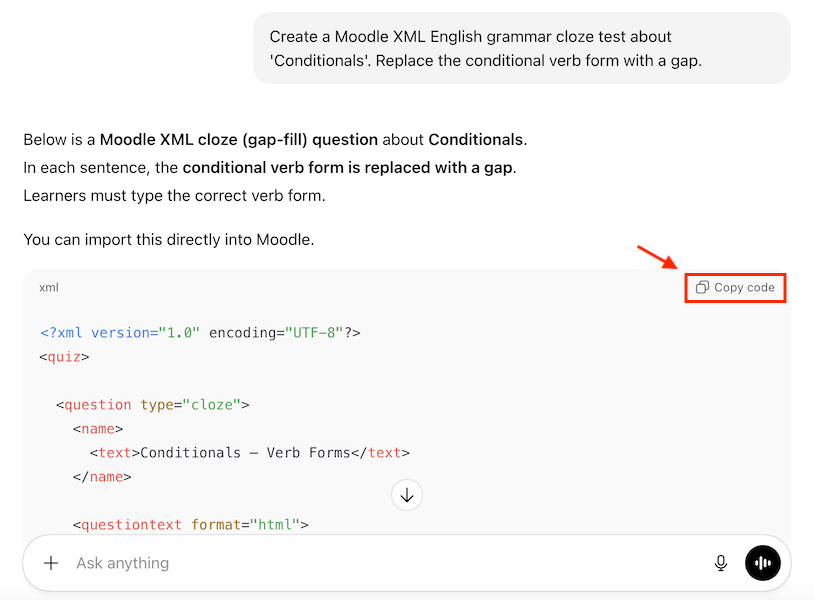
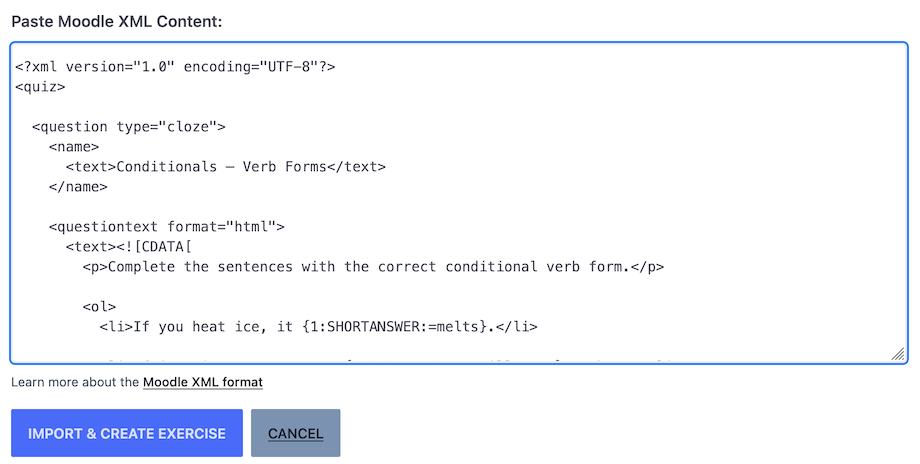
- Paste & Import: Go to the Generate with AI page on Clozetesting, paste the code, and click "Import & Create Exercise".
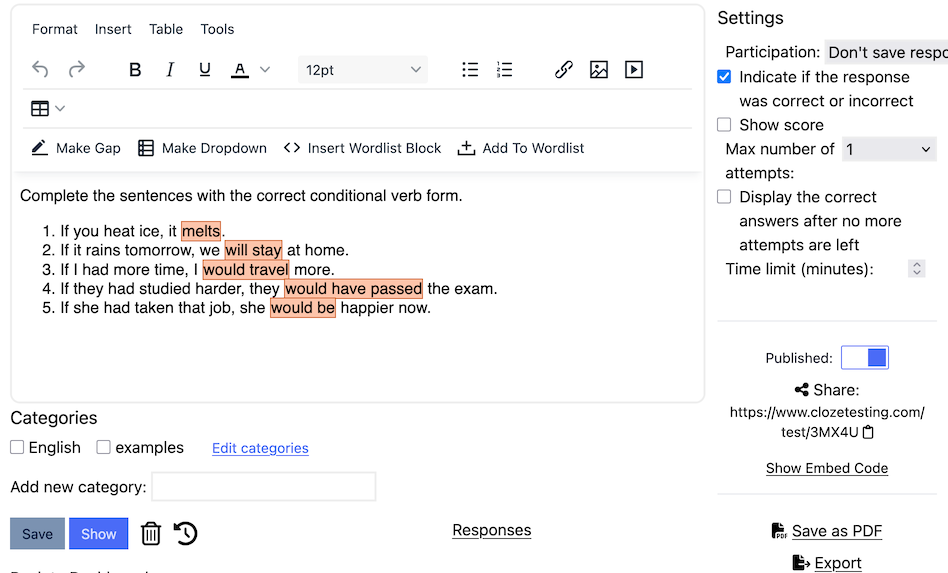
- In our editor, you can change the default settings and make adjustments to the generated exercise if you wish to:
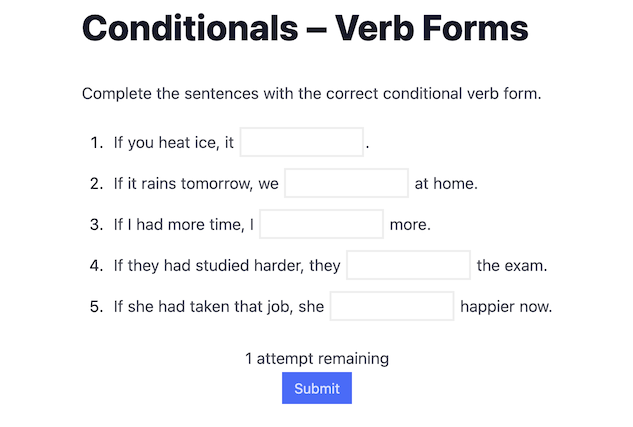
- Finally, click on the "Show" button to view the rendered exercise:
Posted by Clozetesting