Introducing Google Login for Cloze Tests
We're excited to announce a powerful new feature that makes completing cloze tests more flexible and convenient than ever before!
What's New?
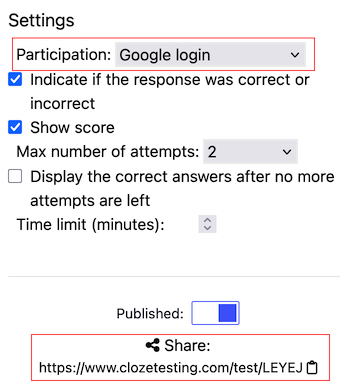
You can now set your cloze tests to Google Login participation mode. When students sign in with their Google account, they can save their progress, allowing them to return and continue exactly where they left off.
How It Works
For Test Creators
When editing your exercise, simply select Google Login as the participation mode in your test settings. Then share the link generated after saving the exercise with your students as you normally would.
For Test Takers
- Access the test - Open the test link as usual
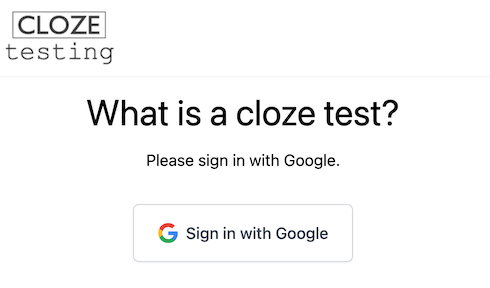
- Sign in with Google - You'll be prompted to authenticate with your Google account
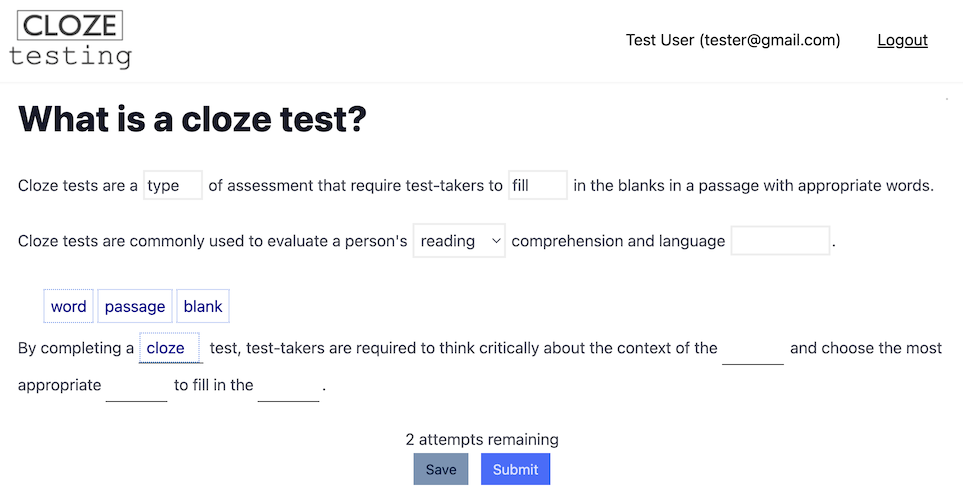
- Complete at your own pace - Fill in answers whenever you have time. Click on the "Save" button in order to save the progress.
- Pick up where you left off - All your previous answers will be pre-filled when you return
Key Benefits
For Students:
- Work on exercises in multiple sessions
- No lost progress if you close your browser (just remember to click "Save")
- Complete tests at your own pace
- Your draft answers are preserved until you're ready to submit
For Teachers:
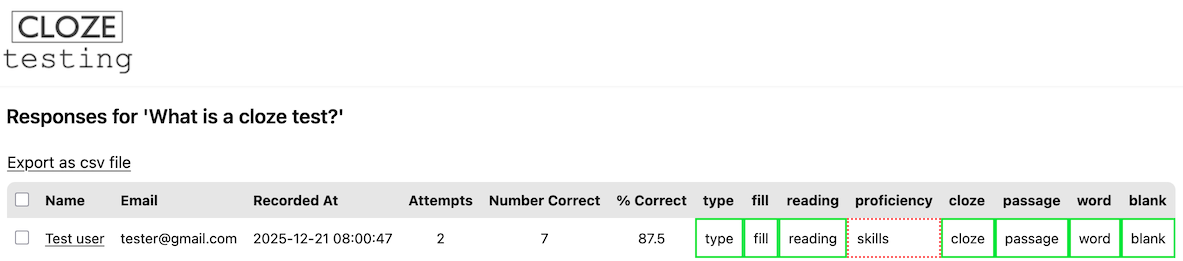
- Track who is working on each test
- Ensure authentic participation through Google authentication
- Participants can review and refine their answers before final submission
This feature is perfect for longer exercises and homework assignments where flexibility matters. Give your students the freedom to work at their own pace while maintaining secure, authenticated participation.
Posted by Clozetesting