Seamlessly Share Cloze Tests to Google Classroom
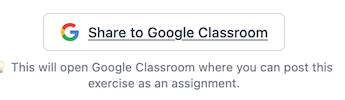
We're excited to announce a powerful new integration that simplifies the workflow for educators: Direct sharing to Google Classroom. You can now assign your cloze tests, grammar exercises, and vocabulary quizzes to your students with just a few clicks—without ever leaving Clozetesting.com.
Why Google Classroom?
We know that for many teachers, Google Classroom is the central hub for assignment management. Copying links, switching tabs, and manually creating assignments interrupts your flow. With our new integration, we've bridged the gap between creating interactive exercises and assigning them.
How It Works
Using the integration is effortless. Here is how you can start assigning tests today:
- Create or Open a Test.
In the settings area, switch the participation mode to "Google login".
- Click the "Share with Google Classroom" button
Make sure that you have saved your exercise. You will see a button "Share with Google Classroom". Click on that and you will see a page where you can assign the exercise to a Google classroom class.
- View results
The students will be asked to login with their Google account in order to do the exercise. The results get saved on Clozetesting, so just click on "Results" on the edit page of your exercise to view the submitted answers.
Posted by Clozetesting